
Network Deployment for Linux
Nur einen Moment... / Just a moment...
Freie Software und Bürgerrechte benötigen Deine Aufmerksamkeit!
Handeln gegen Überwachungsstaat und Softwarepatente
Wenn Du auch in Zukunft in einem Staat leben möchtest, der nicht dem Überwachungsstaat aus "1984" gleicht, und/oder Du möchtest, dass weiterhin jede(r) Software entwickeln und vertreiben kann, gibt es verschiedene Möglichkeiten, sich zu engagieren. wir möchten Dir diese fünf Organisationen empfehlen:
Free software and civil rights need your help!
Act against police state and software patents
If you don't want to live in a state à la "1984" and you want that development and distribution of software should remain legal for everyone, then you have different possibilities to get into the act. We would like to recommend these five organisations:






If you visited the m23 page yesterday at the right (or false) moment, you could see the unfinished announcement for the upcomming m23 rock 10.5. This text shouldn't get released to that time, but was uploaded during a site update ;-)
There is now an intensive test and fixing phase for the next m23 version where I try to correct all inconsistencies. And you have the chance to join in and help to make this release the best m23 version of the year :-)
Some new functions as short overview:
- Update of the hardware detection
- Corrections on the virtualisation functions and the client assimilisation
- New distributions that can be installed with m23:
- Ubuntu 10.4 LTS
- Kubuntu 10.4
- Xubuntu 10.4
- Linux Mint 9
The server installation packages are generated and uploaded (particulate) more times a day. These packages can be installed via APT (more information can be found in the "Installation guide" on the m23 page) or the update function in the m23 webinterface. Please try the new packages and functions and report errors in the forum or via eMail, if you can spend some time. Of course other hints and complete patches, like "TheGuv" posted in the forum, are very welcome ;-)
Have fun!
This article is not really m23 related, but I would like to introduce the new "read more" function of the m23 CMS ;-) With this new feature, I can mark a part of the article that will be shown all the time and an extra part the will be only visible, if you click on "read more". This article is an example ;-)
That alone was worth it ;-)
Lorem ipsum dolor sit amet, consetetur sadipscing elitr, sed diam nonumy eirmod tempor invidunt ut labore et dolore magna aliquyam erat, sed diam voluptua. At vero eos et accusam et justo duo dolores et ea rebum. Stet clita kasd gubergren, no sea takimata sanctus est Lorem ipsum dolor sit amet. Lorem ipsum dolor sit amet, consetetur sadipscing elitr, sed diam nonumy eirmod tempor invidunt ut labore et dolore magna aliquyam erat, sed diam voluptua. At vero eos et accusam et justo duo dolores et ea rebum. Stet clita kasd gubergren, no sea takimata sanctus est Lorem ipsum dolor sit amet. Lorem ipsum dolor sit amet, consetetur sadipscing elitr, sed diam nonumy eirmod tempor invidunt ut labore et dolore magna aliquyam erat, sed diam voluptua. At vero eos et accusam et justo duo dolores et ea rebum. Stet clita kasd gubergren, no sea takimata sanctus est Lorem ipsum dolor sit amet.
Duis autem vel eum iriure dolor in hendrerit in vulputate velit esse molestie consequat, vel illum dolore eu feugiat nulla facilisis at vero eros et accumsan et iusto odio dignissim qui blandit praesent luptatum zzril delenit augue duis dolore te feugait nulla facilisi. Lorem ipsum dolor sit amet, consectetuer adipiscing elit, sed diam nonummy nibh euismod tincidunt ut laoreet dolore magna aliquam erat volutpat.
Have fun!
Now the source codes of m23 and the m23 development kit (mdk) are available via the revision control system Mercurial. So you have the possibillity to check out new functions I'm currently working on, before they get into the stable tree of m23 and before they are packaged for installation.
Be careful: This is nothing for beginners ;-)
You can have a look at the Mercurial sources of m23 and the mdk, if you are not undeterred by the warning.
Have fun!
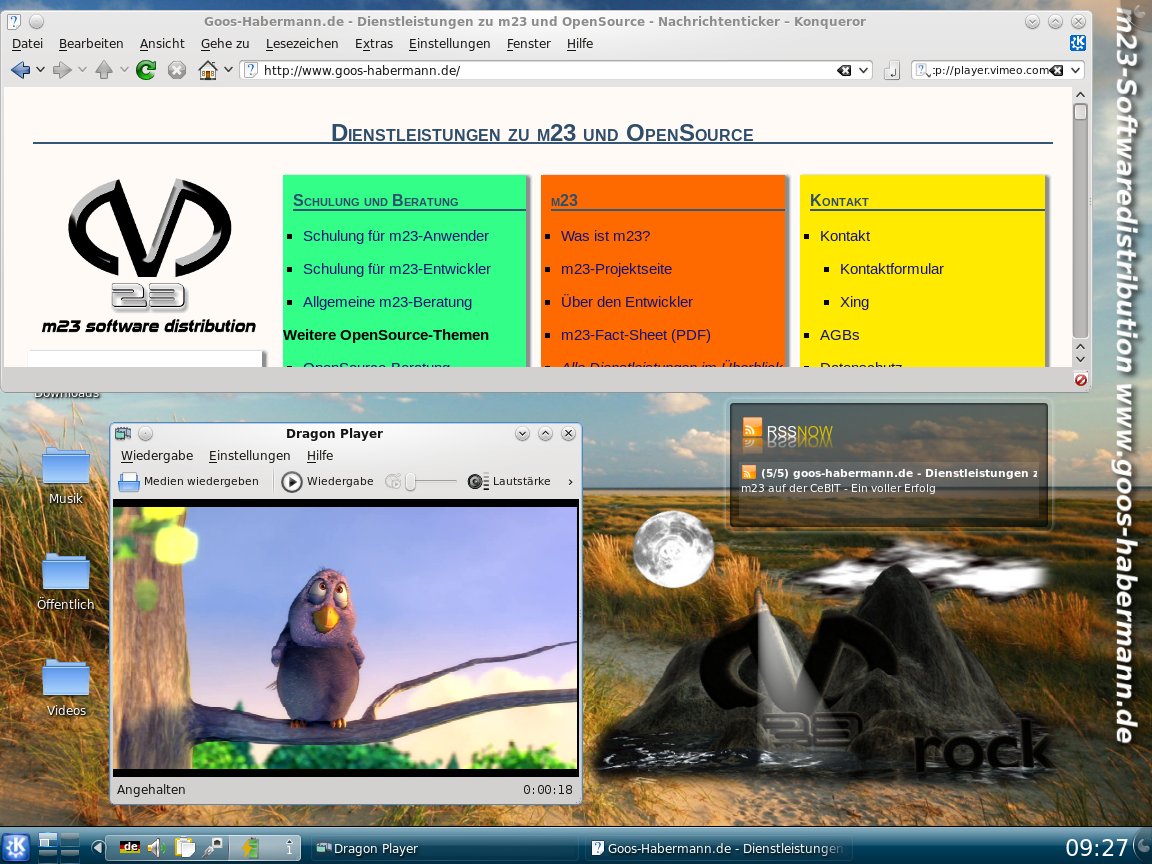
The Musterbüro computers are now using the Ubuntu based distribution Linux Mint 9 Isadora with KDE 4.4.5 and other fresh software packages. The next m23 version benefits from using Linux Mint and will most probably support newer Ubuntu versions as a side effect. Of course the Musterbüro computers and virtual machines are installed with m23.
There is a pre-installed virtual machine for VirtualBox that contains the Musterbüro 2010. All who cannot visit the Kieler Open Source und Linux Tage or want to check the Musterbüro after the event can download it here (1,4 GB). Instructions for "installing" it can be found in the Installation guide.
The virtual machine uses the following users and passwords:
- Normal user: "test" with password "test"
- Administrator: "root" with password "test"
Have fun and maybe we meet at the 8th "Kieler Open Source und Linux Tage"!
This m23 version is released approx. four month after the previous version and thus later as assumed and planned. The delay is caused by the changes that are more comprehensive and longer lasting, but I think it was worthwhile ;-)
The m23 hardware scanner, that puts together information about the hardware of the m23 client and prepares it for sending to the m23 server, was re-written completely after changing the dialog. It is now written in BASH and not in C anymore. This increases the maintainability and makes it independend from a computer architecture and removes the need of compilation.
The point of origin for all these changes was the new m23 client realtime status for showing the progress of the installation in realtime on the "Control center" page.
Of course there were changes in the background too. The Linux kernel of the bootimages is now included in version 2.6.34 and new PHP functions for easier handling of arrays in m23 notation were added.
m23 was prepared for the new file system Ext4. The needed extensions are already included but disabled until distributions supported by m23 are using Ext4.
And of course there are some bigger and some smaler corrections. Two of them I would like to name. The root password will not be set back to the net boot password when running the hardware detection job again (it should only be called on the first installation). The other fix corrects the checkboxes for choosing whether the account information should stored locally, if the system time should be updated by NTP and if attached printers should be detected. All these things should work properly now.
The new version is available as update via the m23 webinterface or APT and as ISO file for burning the m23 server installation CD or as pre-installed virtual machine (both can be found in the download section).
Have fun!
Search
Give m23 your reference!
 Help m23 by giving us your reference!
Go to questionnaire >>
Help m23 by giving us your reference!
Go to questionnaire >> Download m23