Network Deployment for Linux
Nur einen Moment... / Just a moment...
Freie Software und Bürgerrechte benötigen Deine Aufmerksamkeit!
Handeln gegen Überwachungsstaat und Softwarepatente
Wenn Du auch in Zukunft in einem Staat leben möchtest, der nicht dem Überwachungsstaat aus "1984" gleicht, und/oder Du möchtest, dass weiterhin jede(r) Software entwickeln und vertreiben kann, gibt es verschiedene Möglichkeiten, sich zu engagieren. wir möchten Dir diese fünf Organisationen empfehlen:
Free software and civil rights need your help!
Act against police state and software patents
If you don't want to live in a state à la "1984" and you want that development and distribution of software should remain legal for everyone, then you have different possibilities to get into the act. We would like to recommend these five organisations:






Now the CMS, which is used for the m23 community web page, is available for download. The m23 CMS is based on the database-less devalcms, but contains some differences (detailed description below).
Database-less? Why should anyone want something like that? The m23 web page was managed with a CMS that put everthing into a database for several years. For every larger update of the CMS software, a cumbersome export of the whole database (with a huge number of tables), the local installation of the CMS, the import and adjustment of the database structure and the packaging and uploading of the local installation and the modified database to the Sourceforge server were necessary. This circuitous procedure was necessary, as the updated mechanisms of the CMS have never worked because of the safety restrictions on the Sourceforge servers, which do make life miserable not only for hackers. On the whole, an update of the CMS meant investing at least half a day of work.
Consequently, we needed an alternative. devalcms, which works completely without databases and where everything is configured and saved into text files, became our CMS of choice. The synchronisation of a devalcms installation with another system is accomplished by simply copying the files, which can be achieved very efficiently with rsync in a network. The original functionality of devalcms was extended by many functions in the course of time, some of which also need database access. Though, during development, the developers made a point of not putting any contents into the database, but only data (visitor counter, download counter...), which are not essential for the functioning of the web page.
The logic of the m23-CMS is a simple one: Every content (e.g. an article or a download link) is one file. The m23 CMS enhances devalcms by additional modules: download management (where categories are represented by directories), visitor counter, download statistics, message box ("send message to developer"), search function, multilanguage support and development blog.
So when you have always wanted to try an (almost) database-less CMS, you can download and try the m23 CMS ;-)
Have fun!
Watch video on YouTube: https://www.youtube.com/watch?v=qCuPSk9Afzs
from your m23 team!There would almost have been another m23 version this year - but in the end we decided to release it next year so that we have more time for testing. Those who would like to sneak a preview of the next m23 version 12.1 can try out the preliminary packages (like a christmas gift ;-). You can find those packages - and the instructions on how to install them - here: m23 testing packages.
Amongst other things, the new packages contain:
- Installation corrections for openSUSE
- m23 Remote Administration Service
- Configuration of the package manager from the package source list (backports etc.)
- A new package source list where LibreOffice is installable
- Improvements to the installation of the VirtualBox additions
- and - of course - a lot more ;-)
PS. During testing, we found these Christmas penguins in openSUSE and we wouldn't miss to share them with you ;-)
Have fun!

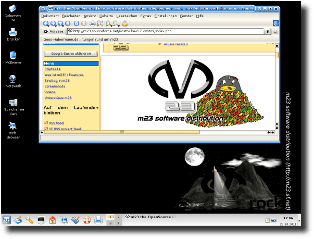 We've done it! m23 rock 11.4 is ready - and now Debian Squeeze is available as an additional client distribution and TDE (which can be seen as a continuation of KDE3) was added to the list of desktop interfaces to choose from.
Everybody who used KDE3 before and missed it painfully in the new distributions can now use an alternative: TDE (Trinity Desktop Environment) can now be installed with m23 on Debian Squeeze clients. The differences to the KDE3 you are used to are so irrelevant - except for some small details - that KDE3 users will find their way around the new desktop easily. Of course, there is not only the Trinity desktop available, but also the corresponding program packages.
There have been made improvements on the installation of KDE4, too. By default, gstreamer is now used as backend for the multimedia API Phonon, which is quite useful - as multimedia content (for example audio streams in amarok) can now be played right away.
We had to make some adjustments for m23 to be able to install Debian Squeeze. For example, the m23-xorg.conf generator, which is necessary to set up the graphic mode and the VirtualBox guest additions automatically, was made more robust and now supports newer VirtualBox versions. In this context, the m23 installation routine for the VirtualBox server was adapted for the automatic setup on Debian Squeeze (and other Linux distributions using the same VirtualBox version). Because of their new LSB conformity, the m23 initscripts are now executed smoothly and on time.
To make it possible that software packages can be installed using non-default settings, we added configuration pages for the packages from Debian Squeeze and Ubuntu Lucid that give you the same adjustment options as in manual installation and package configuration.
The m23 user interface now offers more information about clients both installed with m23 and integrated into m23. So now the client properties of both show the first and last name of the main user, the system language, user and group numbers for LDAP and extensive DMI information. Moreover, the readability of the m23 interface was improved by showing table rows in alternating colours in many dialogues. The client status in the client task overview is now shown in the language of the m23 interface.
And of course, there have also been some corrections and bug fixes. Making and deployment of disk and partition images is working again. The m23 server installation program will now find the drive with the installation CD in every case (thanks to the two hardworking administrators Stephan and Bernd) and will adjust the keybord language for the local terminal correctly. The client boot media for amd64 now also contain the file libresolv.so.2, which is necessary for lspci, so more hardware information can be sent to the m23 server. Further minor changes, which cover several configuration 'special cases', which occur in practice, were added to the m23 packages so m23 can work smoothly. More about those minor changes can be found in the Changelog.
The new version is available as an update from the m23 interface, via APT, as ISO file for burning the m23 server installation CD or as preinstalled virtual machine (the two last to be found in the Download section).
Have fun!
The 9th Kieler Open Source und Linux Tage will start in about a week and there I will give a talk about m23 on the second day (29th of October) in room R114 from 2:30 pm to 3:15 pm.
More information about the talk can be found in the Programmplaner (German only).
Have fun and maybe we will see there!
m23 11.3 rocks, because m23 rock 11.3 again consists of a really large version leap. Among the highlights, you will find the added support for openSUSE 11.4, the very much extended client language support, the conversion of the server base to Debian Squeeze 6 and various corrections and bug fixes.
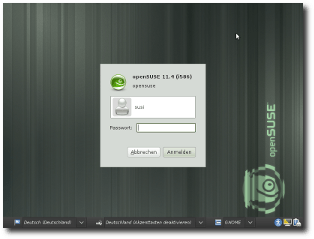
openSUSE 11.4 is now (like Fedora 14) a distribution supported by m23 via the halfSister extension. Arno Bauernöppel undertook the task of developing this feature. In addition to the OpenSuse support, he also extended the m23-halfSister API in order to make it possible to request a list of the available packages when the halfSister-client is turned off. In the original version, this only worked when the client was running. At this point I'd like to compliment Arno for his work!
m23 now supports a whole bunch of additional languages on the client side. These languages are available on the different desktops, e.g. KDE or Gnome, naturally depending on the availability in the specific distribution. The list of languages supported by m23 now contains German, Belgian (Flemish), Bulgarian, Swiss (German), Chinese (simplified), Chinese (traditional), Czech, Danish, Spanish, Finnish, French, Hebrew, Irish Gaelic, Italian, Japanese, Dutch, Polish, Russian, Slovak, Slovenian, Turkish, English (Great Britain), Serbian, Romanian, Lithuanian, Indonesian, Icelandic, Greek, Estonian, Portuguese, Swedish, Norwegian and Hungarian.
The m23 server installation packages are now installable on Debian Squeeze 6 - in addition to Debian Lenny 5 -, which made a lot of adjustments necessary. In making these adjustments, there were also added a great many of corrections, improvements and simplifications - as the m23 server installation CD, too, had to be changed to Squeeze. The installation CD was improved by a more robust installation routine and the bootmanager is now 'grub'.
Beside these bigger changes, there were also made a lot of smaller improvements, some examples of which I'll mention here now: The dialog for creating virtual hard disks for defined clients now shows an error message if there was not entered a valid disk size. To improve the readability of the m23 interface the single options in the 'add clients-dialog' are now clearly separated from each other, and in the Google Chrome browser (and possibly other webkit-based browsers) the superfluous scroll bars (for example in the client overview) should now be gone. 'LDAP user' and 'group ID' are now shown in this dialog beginning with 1001. The m23 hardware detection 'baseScanner' now buffers the device IDs of the kernel modules in order to speed up a repeated hardware detection with the same kernel. Swap partitions with the new signature can now be recognized by the m23 hardware scanner. The status bar for the client status now reflects the current status more appropriately. The newly added m23 questionnaire invites you to support m23 by entering your experiences with m23 and providing a reference. The graphical VNC console to operate and view virtual m23 clients now also works on Debian-based distributions which use 'zenity' instead of 'Xdialog' to draw dialog elements. By using a mirror server, the installation of Linux Mint 9 is now a lot faster. The package source list editor now contains an option for the architecture(s) fitting to the list and if a client is now assigned an inappropriate package source list, a dialog is shown where you can choose an alternative architecture for the client. At the client integration, the code for the recognition of the kernel package was extended, installation and swap partitions addressed by UUIDs are now detected and support was added for the 'dash' shell. The boot images and CDs now also use Debian Squeeze 6 for a basis.
The corrections list is quite large this time as we invested a lot of time into internal testing (thanks to Maren). This is also the reason, why the completion of this version took us relatively long ;-) Included in this list is the recovery of the home directory-on-NFS function. NFS can now also be deactivated on the client side, which means that the home directories will be downloaded from the NFS server to the hard disk of the m23-client. Concerning LDAP, there were also corrections and extensions made, in order to make it possible that LDAP users can now log on on any of the distributions supported by m23. At mass installation, the assigned group is now transferred correctly from the defined to the real client (if the according option is selected). In the integrated client virtualisation, the virtualisation session in headless mode is now running in 'screen' and the state of running machines is now transmitted correctly to the m23 server. The processing of package status information of clients on which there are more than 1000 packages installed works correctly.
The latest version is available as an update via the m23 interface, via APT, as an ISO file for burning the m23 server installation CD or as preinstalled virtual machine (the last two to be found in the download section.
Have fun!
Search
Give m23 your reference!
 Help m23 by giving us your reference!
Go to questionnaire >>
Help m23 by giving us your reference!
Go to questionnaire >> Download m23