
Network Deployment for Linux
Nur einen Moment... / Just a moment...
Freie Software und Bürgerrechte benötigen Deine Aufmerksamkeit!
Handeln gegen Überwachungsstaat und Softwarepatente
Wenn Du auch in Zukunft in einem Staat leben möchtest, der nicht dem Überwachungsstaat aus "1984" gleicht, und/oder Du möchtest, dass weiterhin jede(r) Software entwickeln und vertreiben kann, gibt es verschiedene Möglichkeiten, sich zu engagieren. wir möchten Dir diese fünf Organisationen empfehlen:
Free software and civil rights need your help!
Act against police state and software patents
If you don't want to live in a state à la "1984" and you want that development and distribution of software should remain legal for everyone, then you have different possibilities to get into the act. We would like to recommend these five organisations:





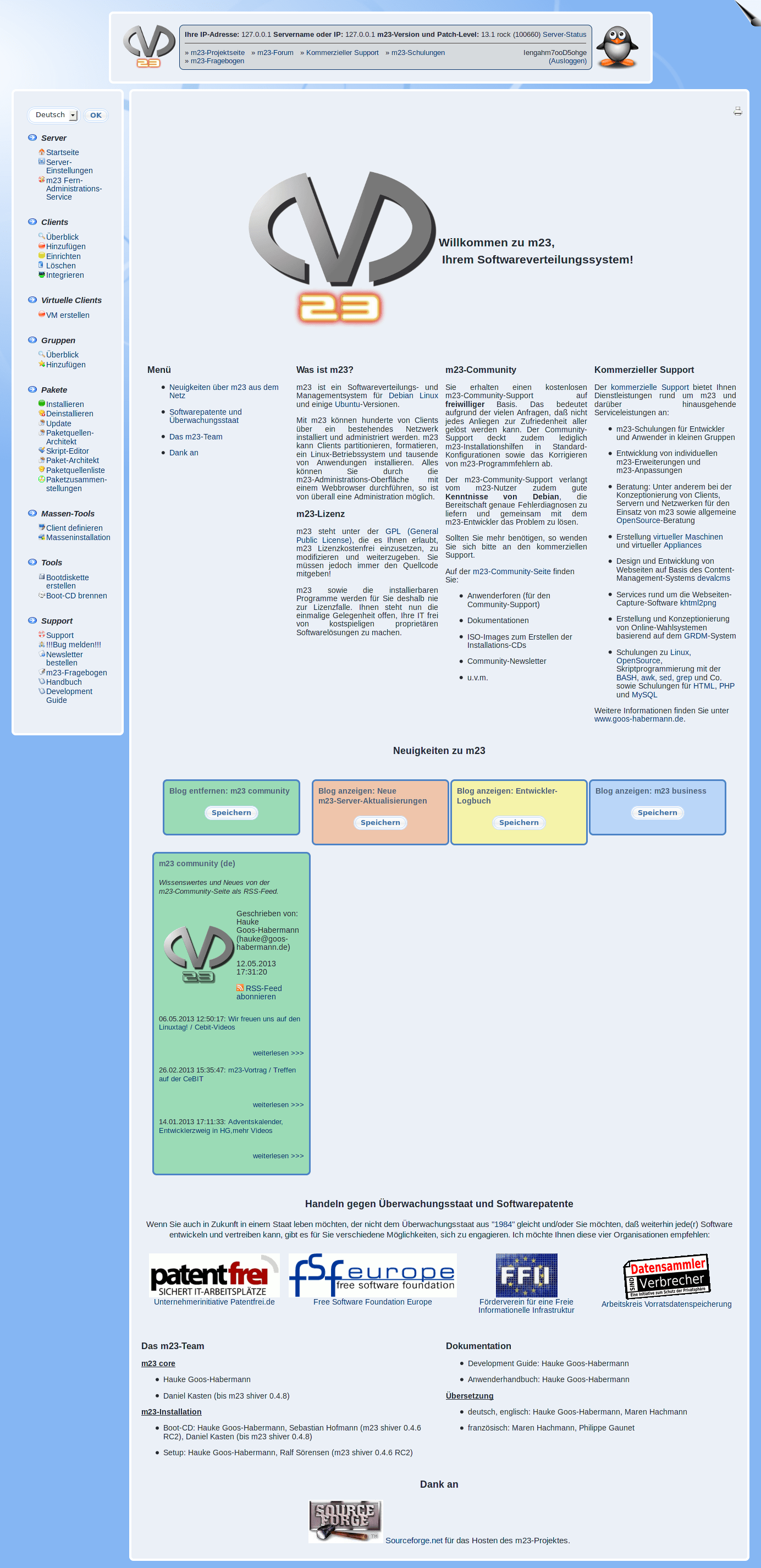
And if this isn't already a reason to try / update m23, there are of course still a whole lot of other changes and improvements, including the option to install the m23 server on a Raspberry Pi or a new kernel including additional drivers.
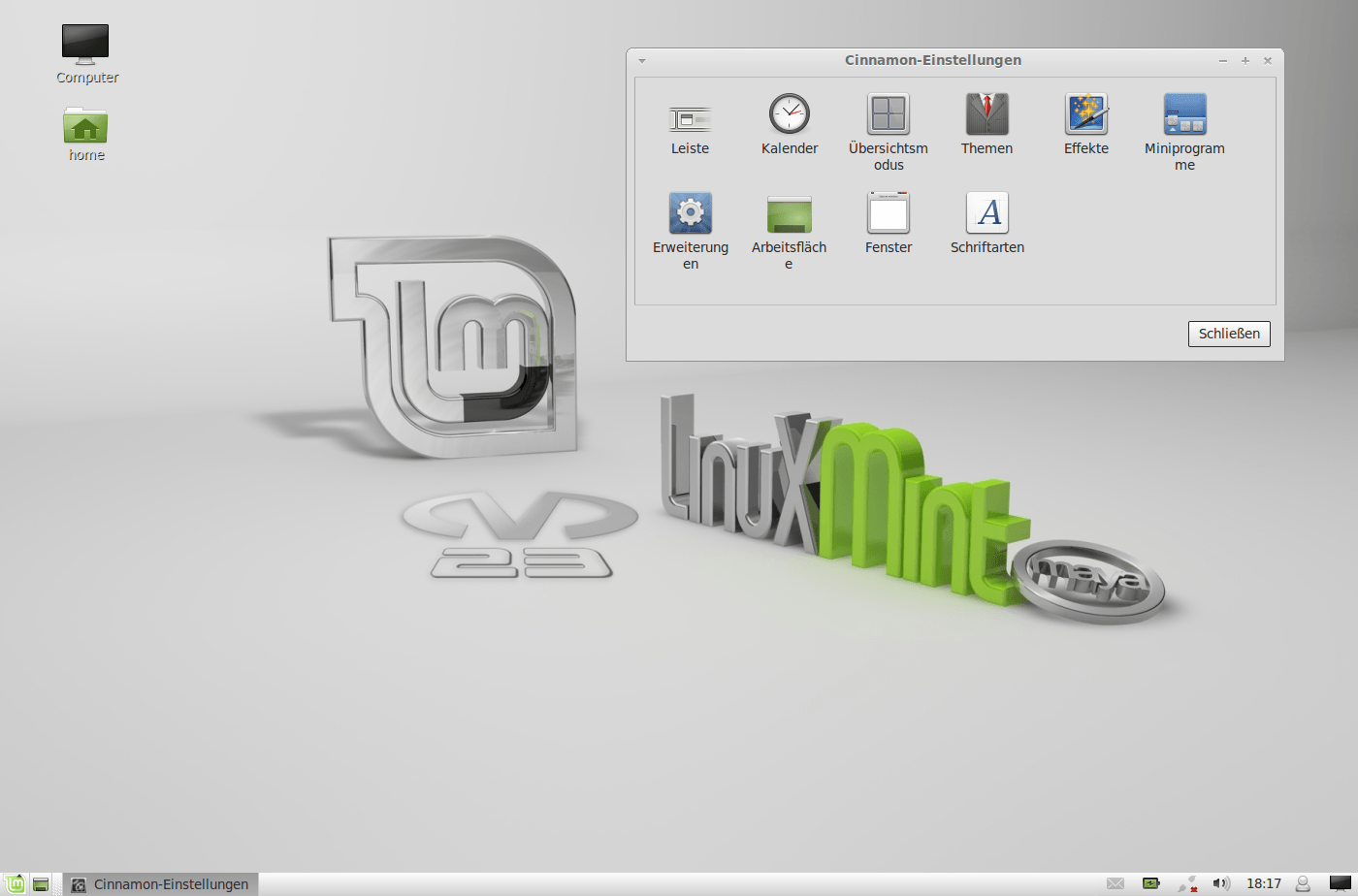
The range of supported distributions has been extended by Linux Mint 13 (based on Ubuntu 12.04 LTS). In contrast to Ubuntu, the standard desktop is not Unity but Mate, which is a continuation of Gnome 2 or the Cinnamon desktop, which offers a familiar working environment based on Gnome 3 (including a start menu). Apart from these advantages, Linux Mint 13 comes with extended multimedia capabilities.
But there is also something new for our Ubuntu users: The package sources list "precise+Xorg-updates" contains new graphic card drivers e.g. for current Intel graphic cards. Additionally, when installing Debian, Ubuntu and Linux Mint, now various further firmware packages are being installed to make special hardware run right away.
The m23 interface has gotten its first substantial "face lift" including the new theme "Fresh Blue" (which you can find under "Server settings" → "Select theme"). Aside from the complete rework / redesign, there is now the possibility to output the current client BASH script in every client's control center (for example for error analysis). Another innovation is the option to save the packages of a client as an offline package source and to save the list of packages installed on this client as a package selection at the same time. Using this option, the complete software status of a system can be "frozen" and installed independently from the original package source. While implementing this, we also changed the internal functions for the administration and creation of package sources over to the API 2.0 and reworked the package sources architect.
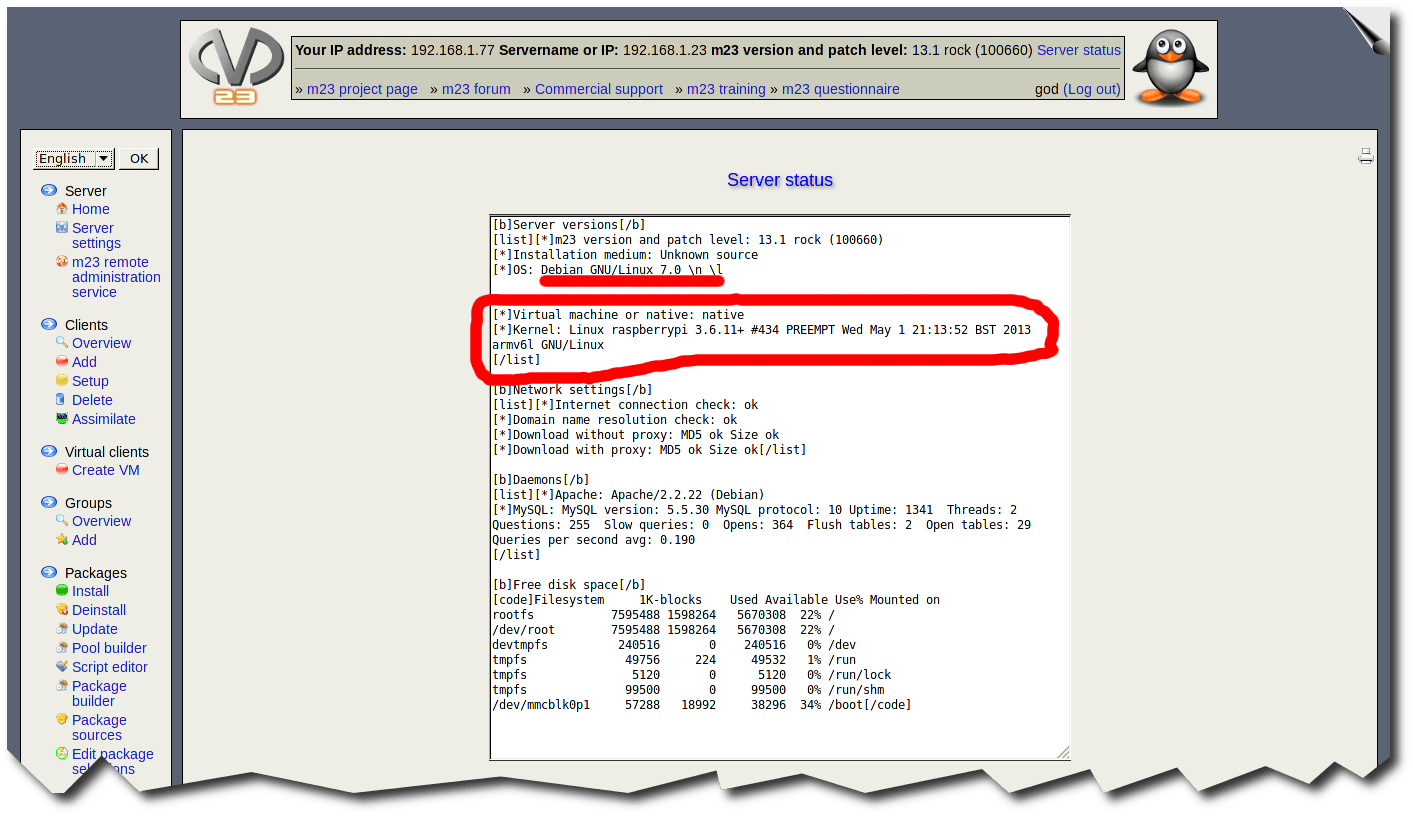
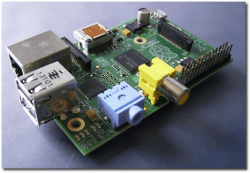
The support for Raspberry Pi as m23 server platform initially started as a "fun project", but now it runs so stable that you can use the "Pi" for smaller environments where you do not need to install or administer many m23 clients at once. To make this work, the m23 server had to be adapted to Debian Wheezy (which wasn't even released at that time), which turned out to be surprisingly easy. All but one of the adjustments are specific to Wheezy and not to the Raspberry Pi. Of course, there are some cutbacks with this minimal solution: The virtualisation does not work on the m23 Raspberry Pi server and the m23 development kit (MDK) can only be used with restrictions. The m23 functionalities accessible from the web interface are available as usual.
All you need to start right away is a Raspberry Pi (Model B), an SD card of (at least) 8 GB size and the m23 server image for use with the SD card. You can find out more in the installation guide.
"Under the hood" there has also happened a lot: For example the update of the m23 boot media which now use the Linux kernel 3.2.38 and BusyBox 1.21.0. At this place, there were also added several firmware packages. The m23 API 2.0 has been extended by several new classes, like the class Cm23Admin, which can administer the administrators of the m23 server (including the web interface theme of their choice), or the CObjectStorageManager, which saves PHP objects to make it possible that those can also be retained and restored outside a session. There are also some new HTML functions, some of which use AJAX. Aside from the interface and the m23 core functions, the MDK now contains menu items for the creation and the separate administration of release version and developer version, for choosing the active version and to merge both versions.
Of course, we have also fixed several bugs, two of which have already been incorporated as a regular update into the release version because of the separation between developer version and release version. One adjustment became necessary as the scripts in the Ubuntu LTS kernel packages have changed in a way which prevented an automatic installation. The other corrects the GPG signature of the m23 installation packages.
The new version is available as update via the m23 interface, via APT, as ISO to burn an m23 server installation CD, as preinstalled virtual machine and as Raspberry Pi image file (the last three can be found in the download section).
Have fun!

In 2013, the Linuxtag Berlin will take place from May 22nd until May 25th at the Berlin fair grounds. We are very happy that our application for a booth at the exhibition was successful again this year so we can present the latest developments around our software deployment system m23 to you live again.
We won't reveal any details about our booth yet - we'll only tell you this: Aside from the purely technical information there will also be a lottery with prices from getDigital.de again ;-)
Besides the m23 booth - and those of the other exhibitors - there will, of course, also be offered a lot more at Linuxtag ;-) For example, there are talks, workshops, a rootcamp, the business and civil service congress, the Open-IT Summit, LPI exams and the LinuxNacht being planned. You can find out the current state of the program planning here.
If you would like to find out more about m23 before and are able to understand German, we recommend watching the talk given by Hauke Goos-Habermann about m23 at the OpenSource-Forum at the Cebit 2013. You can watch it here (there are also a lot of funny slides to see :-)). A list of the other talks from the OpenSource-Forum which are available as videos can be found at the Linux-Magazin's web site.
Have fun!


Of course, there will also be an m23 talk at CeBIT this year, but this time will be the first time 'on the big stage'. I will give the talk with the title "Linux-OS und Software installieren und managen mit m23 (Install Linux OS and software and manage them with m23, language: German)" on Saturday, March 3rd, 2013 at 1.00 p.m. on the Open Source Forum (Hall 6, Booth F02).
Presumably, this (and all the other talks) will also be streamed live at streaming.linux-magazin.de and afterwards be available in the corresponding video archive. I hope these possibilities won't keep you from coming to the live event in person ;-)
The topics of my talk will include the implementation of m23 functions and give an outlook to future developments. As an example for an m23 use case, I will present an ongoing school project, where the administration of the more than 200 class computers is done with m23.
Apart from the m23 talk, there will of course also be other talks given (e.g. the one by Klaus Knopper, which takes place directly before mine) ;-) Information about all talks is available at "Open Source - CeBIT" or directly as PDF.
I would be pleased to meet you at CeBIT - either before or after the talk on Saturday or on Wednesday, when I will be attending CeBIT 'inofficially'. Please contact me in advance ("Send message to developer" at m23.sf.net), so that I can coordinate the appointments ;-) If you do not have a CeBIT ticket yet, tell me - maybe I still have one left for you ;-)
Have fun and meet you at CeBIT!

As Christmas is finally over, you can find the script for our Linux-/ OpenSource-/ free media-m23 advent calendar, including all graphics and door texts in a compressed archive. If you would like to create your own web advent calendar this year, you can download Adventskalender.tar.bz2 and take it for a basis :-)
In the m23-Mercurial version management the two new branches m23-devel and mdk-devel can now be found. These contain the development versions of m23 and the MDK. Because of the separation between the stable and the development branch, it is now easier to implement new functions into the development branch and to maintain the productive branch until the next release at the same time.
The installation guides (English and German) have been revised completely (concerning contents and design) and now contain a new video that describes the import and configuration of the "m23-Server VirtualBox Appliance".
Have fun!
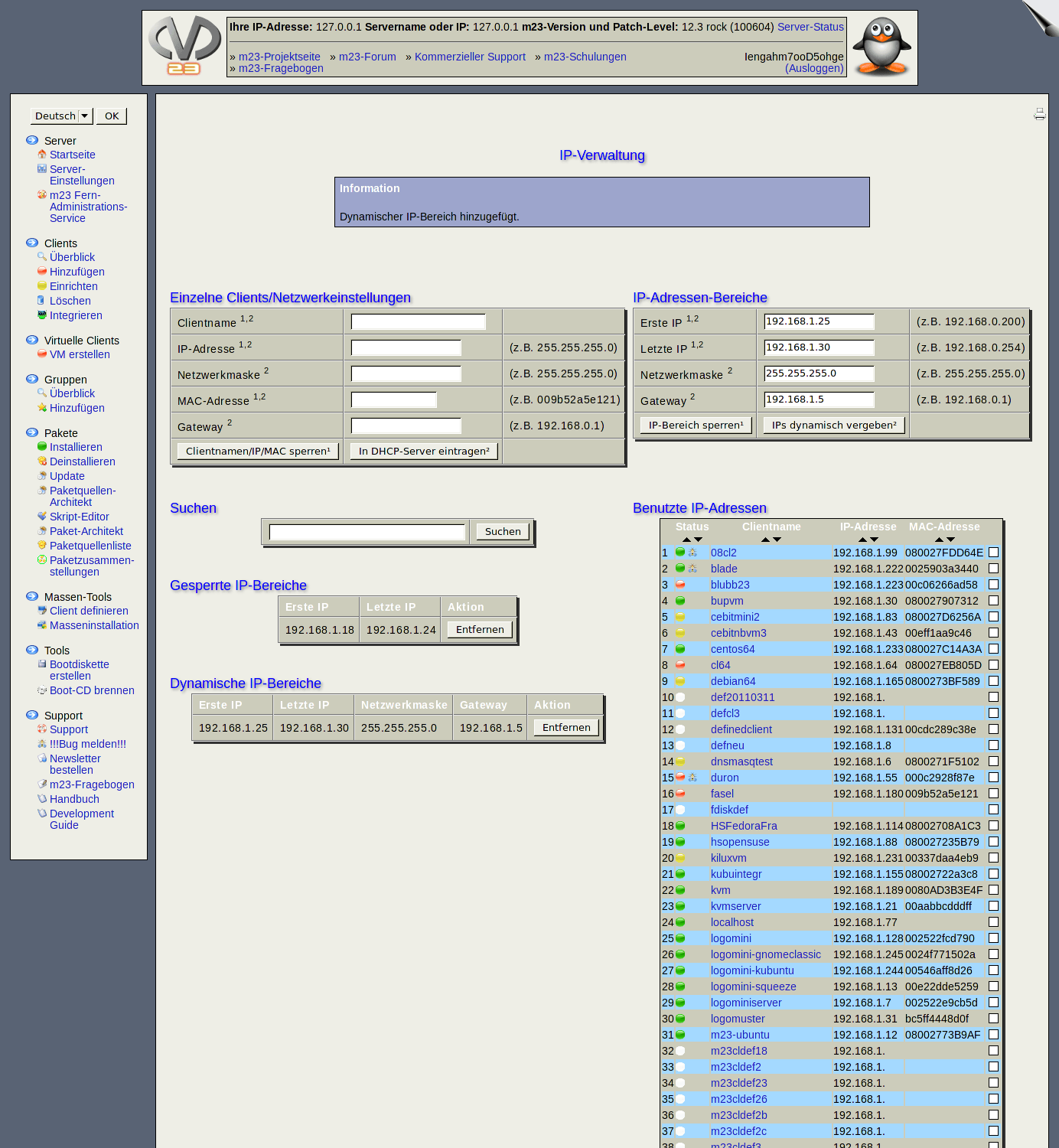
The new version of m23 rock 12.4 comes with an IP manager for computers and devices (e.g. network printers) which are not m23 clients. m23 can now also install and administer m23 clients in subnets that are not in the subnet of the m23 server. Apart from these obvious changes, there are also some developments 'under the hood'. For example, I have started to write the object-oriented m23 API 2 that will replace the old API in the long term. We have developed a script (hwptool) for the m23 hardware certification, which identifies the components of the systems that shall be certified and conducts several tests. And of course, as always, there are also several other smaller and bigger changes and novelties ;-).
The IP management allows you to connect network settings to a MAC address, so that the necessary values are sent to the respective device via DHCP. Aside from this direct assignment, IP ranges can be defined, within which the IPs can be assigned dynamically (e.g. to notebooks). Specific settings (e.g. client name, MAC address) or specific IP ranges can now be blocked, so m23 cannot wrongly use these for m23 clients. For the support of subnetworks, the format of the dhcpd.conf file, which contains the client settings of the DHCP server, had to be adjusted. When the m23 server is updated, the format will be converted automatically. To make a network boot and the further administration in subnetworks possible, there has to be a DHCP relay on the routers, which hands over the DHCP requests of the m23 clients to the m23 server and passes the server's answers on to the m23 client.
The m23 API 2 currently includes the classes CClient for the administration of specific m23 clients and their properties, CClientLister for the retrieval of all m23 clients and the search for these, CIPRanges for the treatment and blocking of IP ranges and the two basic classes CMessageManager for the collection and outputting of info-, warning- and error messages and CChecks for the validity check of entries. The functions of the m23 API 2 are already introduced in parallel to the old API in m23. This is accomplished, for example, in the IP management and in the clients' overview.
To be able to ensure a "constant quality" for the m23 hardware certification and to avoid working through all points manually, there is now the hwptool which conducts hardware tests completely automatically or semi-automatically. For example, all USB ports, optical drives, graphic cards or the hard disk are tested for proper functioning. Aside from the basic tests, there are also load tests, which shall determine if the system remains stable when CPU, graphic card, RAM, network and hard disk accesses are working under full capacity.
There have also been introduced several smaller novelties: The complete real time protocol can now be displayed in a new window or be downloaded. m23 clients can now not only be fully reset, but it is also possible to re-execute all client jobs ever assigned to those clients or to reset the status of the jobs to the status they had directly after the client was added to m23. Because of the linear execution of the PHP scripts, it has not been possible (or only with great effort) to position boxes for error or info messages at will in the m23 interface. The new function HTML_manipulateOutputBuffer makes it possible to manipulate the output buffer afterwards, to embed error or info messages in the upper regions of the m23 interface. There is now an additional partitioning scheme which sets a size for the swap partition between 2 GB and 4 GB. In the control center short tooltips appear when the mouse pointer hovers over an icon for a longer time. The dialog for the partitioning and formatting now also uses jQuery for the opening and closing of the menu and saves the position on the page so you could almost believe that m23 is a locally installed program. And last but not least: Software RAIDs can now also be deleted from the m23 interface.
 Of course, there are also some bugfixes ;-). One of those allows to change the MAC address and the package proxy settings of a client without getting an alarm from the variable firewall. The script m23-xorg-configurator.conf for the setup of Xorg now also works on Ubuntu 12.04 in all tested scenarios by stopping instantly when Xorg is found in version 1.11.3 or higher. In this case no xorg.conf is written, which wasn't necessary on the tested systems. In Ubuntu, the necessary "locales" should now be created. The grub installation routine was extended by a function which ensures the installation of grub in case of an error. Packages for Debian and Ubuntu will now be searched for all architectures which are indicated in the package sources list. Even if all packages of a distribution are available for all supported architectures, it can happen that in a local package source only packages with an architecture different from that of the m23 server are available. In the previous m23 versions, these packages could not be found in the m23 interface. The outdated syntax of several m23 functions concerning the transfer of reference variables was adjusted.
The latest version is available as an update from the m23 interface, via APT, as ISO file to burn the m23 server installation CD or as a preinstalled virtual machine (the last two can be found in the Download section).
Have fun!
Search
Give m23 your reference!
 Help m23 by giving us your reference!
Go to questionnaire >>
Help m23 by giving us your reference!
Go to questionnaire >> Download m23