
Network Deployment for Linux
Nur einen Moment... / Just a moment...
Freie Software und Bürgerrechte benötigen Deine Aufmerksamkeit!
Handeln gegen Überwachungsstaat und Softwarepatente
Wenn Du auch in Zukunft in einem Staat leben möchtest, der nicht dem Überwachungsstaat aus "1984" gleicht, und/oder Du möchtest, dass weiterhin jede(r) Software entwickeln und vertreiben kann, gibt es verschiedene Möglichkeiten, sich zu engagieren. wir möchten Dir diese fünf Organisationen empfehlen:
Free software and civil rights need your help!
Act against police state and software patents
If you don't want to live in a state à la "1984" and you want that development and distribution of software should remain legal for everyone, then you have different possibilities to get into the act. We would like to recommend these five organisations:





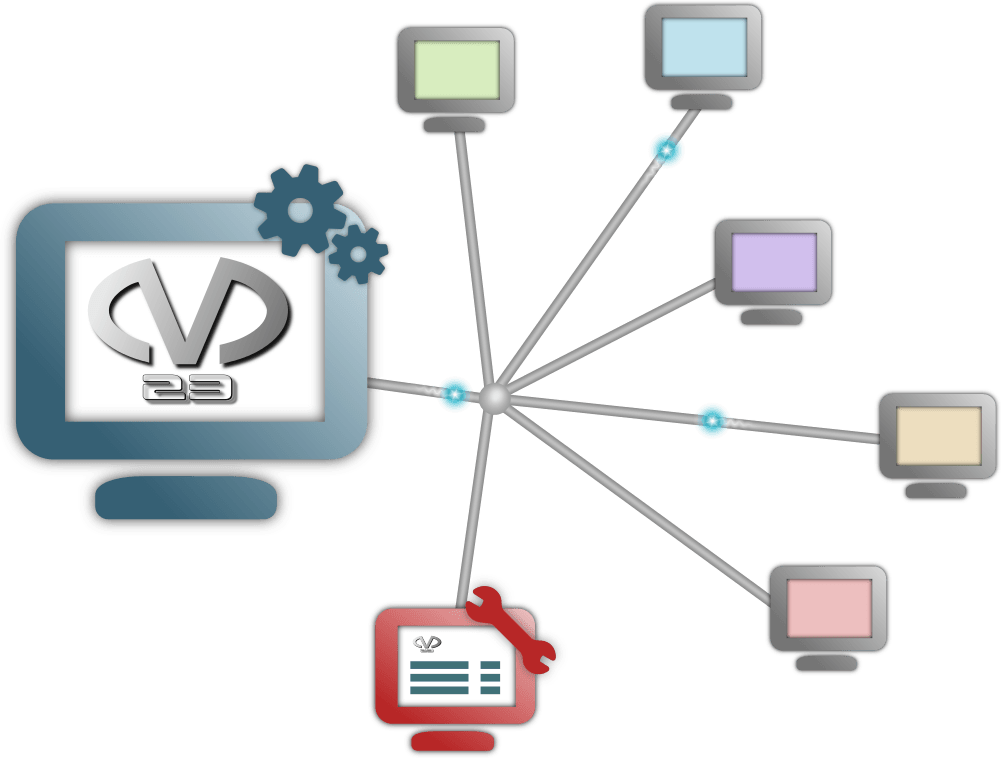
m23 is a free software distribution system licensed under the GPL, which installs and administers clients with



m23 is controlled via webbrowser. The installation of a new m23 client is done in only three steps and the integration of existing clients is possible, too. Group functions and mass installation tools make managing a vast number of clients comfortable. Client backup and server backup are included to avoid data loss. With the integrated virtualisation software, m23 can create and manage virtual m23 clients, that run on real m23 clients or the m23 server. Scripts and software packages (for installation on the clients) can be created directly from the m23 web interface.
Support m23! Read here what you can do to help m23.
Commercial support, development, training and more for m23 and other open source software
Features
- m23 features
- Administration via webbrowser read more...
- Three steps to your complete client read more...
- Integration of existing clients into m23 read more...
- Group functions read more...
- Mass installation read more...
- Administration via webbrowser read more...
- Client features:
- Operating systems: Debian, Ubuntu and Linux Mint read more...
- Free partitioning and formatting read more...
- Support for software RAIDs (RAID level 0, 1, 4, 5, 6 and 10) read more...
- User management with LDAP, FreeIPA or UCSread more...
- NFS for storing home directories read more...
- Software packages read more...
- Free choice of software of different distributions read more...
- Package dependency check read more...
- Software package caching read more...
- Pool builder to build your own package source read more...
- More efficient file transfer making use of BitTorrent read more...
- Package selections read more...
- Package builder read more...
- Script editor read more...
- Configuration management read more...
- Graphical desktops: KDE, Gnome, XFce, LXDE, LXQt, Budgie, Mate, TDE, Cinnamon or pure X, or even without (for servers) read more...
- Imaging: optionally installation using image files possible read more...
- Client backup read more...
- Client recovery read more...
- Rescue system read more...
- Client virtualisation read more...
- Improve m23 read more...
- Server features
- Server backup read more...
- Variable firewall read more...
- IP manager read more...
- How it works read more...
- Communication between m23 client and m23 serverread more...
- Script generation read more...
- Copyright and usage notice for this text read more...
m23 features
Administration via webbrowser
The entire administration is done via webbrowser and is possible from all computers having access to the m23 server via network. The installation of additional administration software is not necessary. A remote access to the m23 server via laptop or another device with installed webbrowser is easily possible. Authentification and SSL encryption secure the communication and prevent undesirable access.
Three steps to your complete client
Installing a client with m23 is rather simple. Only three steps are required for a completely installed client.
1. Adding the client
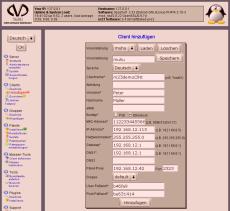
First, you need to enter some values for the client. These are, for example, the network settings (IP, networkmask, etc.), user name and password or an authentification server (LDAP, FreeIPA or UCS) that manages your user accounts.
2. Partitioning, formatting and installation of the operating system
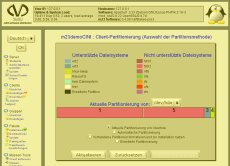
All clients can be partitioned and formatted individually. The resulting partitions can be used for the installation of the operating system, the creation of software RAIDs, for data storage or as swap space. The installation will start after the selection of the operating system.
3. Installation of additional software
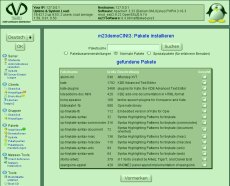
You can install additional software packages in the last (optional) step.
Integration of existing clients into m23
In addition to the bare metal installation on physical or virtual client system, including partitioning and formatting, existing, Debian-based systems (Debian, Ubuntu and Linux Mint) can be integrated into the m23 environment, to simplify further administration ((de)installation and updating of packages).
Group functions
You will like the convenient group functions if you have a big amount of clients that need to install new software or if other routine jobs need to be done. E.g. a new software package can be installed on all clients or be removed from all clients of a group. In addition, an update or a client recovery can be accomplished on all group members. An arbitrary number of groups can be created, where each client can simultaneously be a member in an arbitrary number of groups.
Mass installation
The mass installation tools are handy, if you need to install a big amount of clients with similar requirements (and maybe different hardware). The mass installation is done in three steps.
1. Creation of a defined client
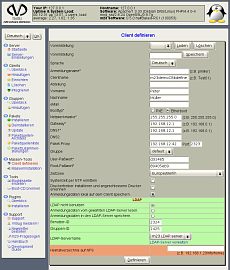
A template client, that holds the basic settings (such as the default gateway or the group name), is defined (but not installed). The real clients are to be derived from this defined client. The defined client gets a partitioning and formatting for its virtual harddrive (as well as rules what to do if the real harddrives are differing in size or type), the operation system and appropriate software packages.
2. Choosing the parameter generator options
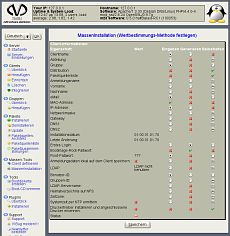
Now you have to choose which of the settings, that can or have to be different on each client, shall be kept (e.g. user name), generated automatically (e.g. client name) or read from a file or entered by hand (e.g. MAC address). The partitioning of the virtual harddisk will be adjusted on client deployment.
3. Final review of the client parameters

In this last step you see all the parameters and values of all clients in a table and you can change the values by hand. It is possible to change the number of clients, too. Automatically generated client parameters will be calculated in the required amount or existing clients will be removed.
Client features
Operating systems
m23 supports:
m23 supports Debian, Ubuntu and Linux Mint. The choice of the Linux distribution is a matter of taste and a question of the functional range. m23 gives the administrator the chance to choose the right distribution for each client individually which can be installed automatically. m23 allows to manages all clients via the same m23 administration interface, no matter which distribution is installed.
Free partitioning and formatting
In addition to the automatic partitioning and formatting, m23 supports individual harddrive setups. The resulting partitions can be used for the operating system, to store data and for swapping. The m23 interface includes all necessary functions for deleting, adding and formatting of partitions and for assigning them to mountpoints, installation or swap usage. In addition, it is possible to reuse the existing partition layout for the installation.
Support for software RAIDs
Partitions or entire harddrives can be combined into software RAIDs. m23 supports the RAID levels 0, 1, 4, 5, 6 and 10. These RAID levels have advantages and disadvantages in relation to speed increase and data reliability. RAIDs can be used like normal partitions to install operating systems to or to use them as swap or storage space. You can install the Linux kernel and its modules on a separate (non-RAID) partition to be able to install an operating system on all possible RAID levels.
User management with LDAP
User accounts can be managed with a central LDAP server. This increases the ease of use in environments with many clients and a lot of users. The OpenLDAP server is shipped with the m23 server and can be administered via the highly integrated phpLDAPadmin. m23 can use existing LDAP entries for new m23 clients or add extra entries on adding an m23 client. Alternatively, FreeIPA or Univention Corporate Server (UCS) can be used for user management.
NFS for storing home directories
An NFS server for storing the user's home directories is a good supplement to managing user accounts via a centralized server. Using an NFS server simplifies the making of backups dramatically in contrast to a lot of clients storing the home directories on local harddrives. As a benefit of this combination the user has the alternative to log in into any client and find her or his own desktop and files.
Software packages
The Linux distributions, that can be installed with m23, offer a wide range of Free Software, that can be installed easily. In addition to the package sources suggested by m23, others can be added to make third-party software installable.
Software choice in different distributions
The Linux distributions that are installable with m23 offer a large variety of free software, which can be installed easily. In addition to the package sources recommended by m23 other package sources can be added to install software from other suppliers.
Package dependency check
You can check if the removal or installation of software will be sucessful before the actual process. The administration interface gives a warning message, e.g. if a package can not be installed due to unsolved dependencies.
Automatic software package caching
Software packages are downloaded from the internet to keep them up-to-date. The packages are then cached to ensure that every package is downloaded only once. If a certain package is installed a second time, the package will be installed from the cache. In case that a new version of the package exists, the latest package will first be downloaded and stored in the cache. On your m23 server this job is done by the proxy cache Apt-Cacher NG.
Pool builder for building package sources
The pool builder allows you to download software packages from the Internet to create a package source from them. These package sources can be used to install clients. This can be done without an internet connection or if the internet connection is rather slow. It is possible, too, to add selfmade packages to the pool.
Package builder
Debian packages can be created from compressed tar files from the m23 interface. These packages are then available for installation on the m23 clients.
Efficient file transfer using BitTorrent
To efficiently deploy large files to any number of m23 clients, the m23 api offers functions making use of BitTorrent. The m23 clients exchange parts of the files deployed with BitTorrent among each other, in the optimal case resulting in each file being only deployed once from the m23 server. A possible use case would be to deploy a virtual applicance to a set of systems used for training in an educational environment.
Package selections
Packages which will always be installed (or removed) together can be grouped to a package selection. These package selections can be used for single clients, groups of clients or directly during installation of the operating system.
Script editor
Scripts for any kind of client jobs can be created using the integrated script editor in the m23 interface. The full range of functions of the m23 api is available for use in these scripts.
Configuration management
m23 offers several options for configuring the m23 clients. Many settings can be adapted by using the debconf dialogs that are imported into the m23 interface from the distributions' packages. Alternatively, client scripts can make use of the file editing functions provided by the m23 api, to perform any kind of configuration task. If that's not yet enough, one can, of course, also use one's favourite configuration tool, e.g. (R)?ex, Chef, Cfengine (, awk, sed), git, subversion or cvs.
Graphical desktops
Support for:


The m23 clients can be installed as workstation with a complete desktop environmen and pure X11 or as a server without graphical subsystem. In most server setups, the server doesn't need a user interface because most of the server software runs in text mode. Depending on the client's distribution different desktop environment can be chosen.
Imaging: Installation using image files
An image file of a partition or entire harddisk can be used to install other clients. These image files are taken from installed clients with all their software packages and settings. The creation of these image files is included in the m23 administration interface for your comfort. Image files can be compressed to save storage space and bandwidth on rollout. An image file can be used to install any number of clients. After the end of the transfer, the client will be adjusted like a client that was installed from software packages. This is done on Debian, Ubuntu and Linux Mint. These "image clients" can be managed like "normal clients" with m23, this includes software installation and other administrative tasks.
Client backup

Personal data and additional settings can be backupped and restored with the integrated software BackupPC. This is necessary for all personal data which is not handled by m23.
Client recovery
A client can be reinstalled with excactly the same software selection and configuration as it was installed with m23 before. This is done with the recovery feature directly from the m23 interface. The recovery includes the complete installation with partitioning and formatting. All settings done with m23 will be restored. Manual changes need a recovery from a backup medium.
Rescue system
The m23 rescue system is a minimal Linux environment that can be booted on the clients via the network. You can use it for on-location maintenance or via an SSH console. The administrator has full access to the client and can do all administrative work. Additional tools (e.g. the client log) support the administrator with his/her fault analysis.
Client virtualisation
The free virtualisation solution VirtualBox OSE is now (optional) part of m23 and can be installed directly on the m23 server as well as on the managed m23 clients. Required for virtualisation is a Debian system (up to Debian 11). Virtual m23 clients which act on the network just like normal m23 clients are managed via the m23 server as usual. These virtual clients can be partitioned and formatted like a normal PC and of course the operating system and additional software can be installed as well. Access to the VMs' desktops is (optionally) possible by using x2go.
These m23 clients are virtualisation hosts for virtual m23 clients after the installation. Virtualisation may be useful to use the existing ressources of your computers better (e.g. office PCs that usually wait for user input most of the time or on a web server).
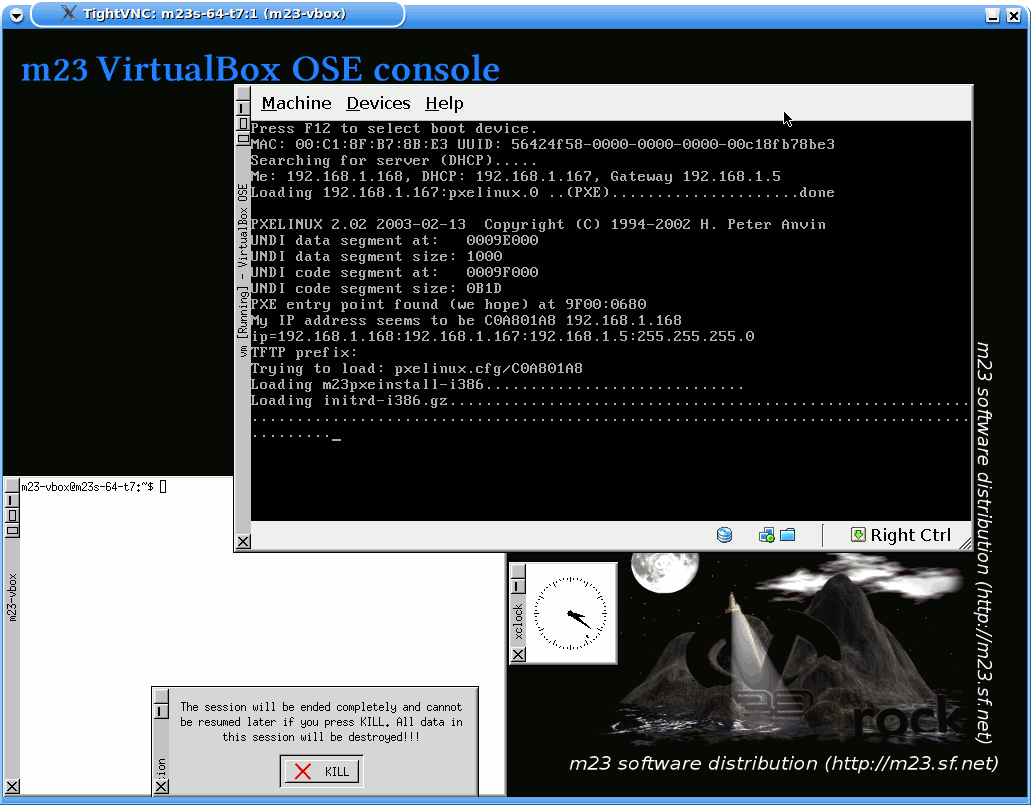
You can check the usage of harddisk and memory on the virtualisation host in the "VM creation dialog" before you create a new virtual m23 client. So you can take care not to assign too much harddisk space or memory to the VM. The newly created VM runs through the usual 3-step-setup after the creation is done.
Improve m23
The m23 interface and the entire m23 system can be improved with extra functions.
The MDK (m23 Development Kit) is a powerful environment to adjust m23 to your needs. E.g. you can create your own m23 server installation CD or build new network boot images with new modules.
Using the m23 extension halfSister, the ambitious administrator can easily make his or her favourite Linux distribution installable with m23, like it was already done with CentOS, openSUSE and Fedora.
Server features
The m23 server can be installed on all computer architectures for which there is a full Debian port. For 64Bit PCs computers (also virtual) there is the m23 server installation ISO, for all other platforms there is a script to automatically install the architecture-independent packages. In addition, m23 is available as an "App" in Univention's UCS App Center.
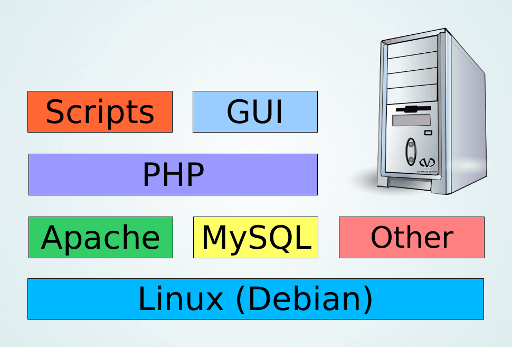
The m23 server is based upon Debian. It uses Apache, PHP and MariaDB to provide the m23 web interface and to generate bash scripts that will be executed on the clients on-demand. Furthermore, it comprises a DHCP and a TFTP server, which are required for network boot and for assigning network settings later. Apt-Cacher NG ensures that each package will only be downloaded from the internet once, in case of using the publicly accessible package sources. BackupPC can be used to create backups of personal data and additional settings which are not taken care of by m23 directly. The preconfigured OpenLDAP server can be used for centralized management of user accounts for the m23 clients.
m23 command line interface
The modular m23 command line interface (m23cli) provides an additional way to request status information for the m23 clients and to execute administrative jobs. This can be harnessed for automatization by use of own scripts.
Server backup
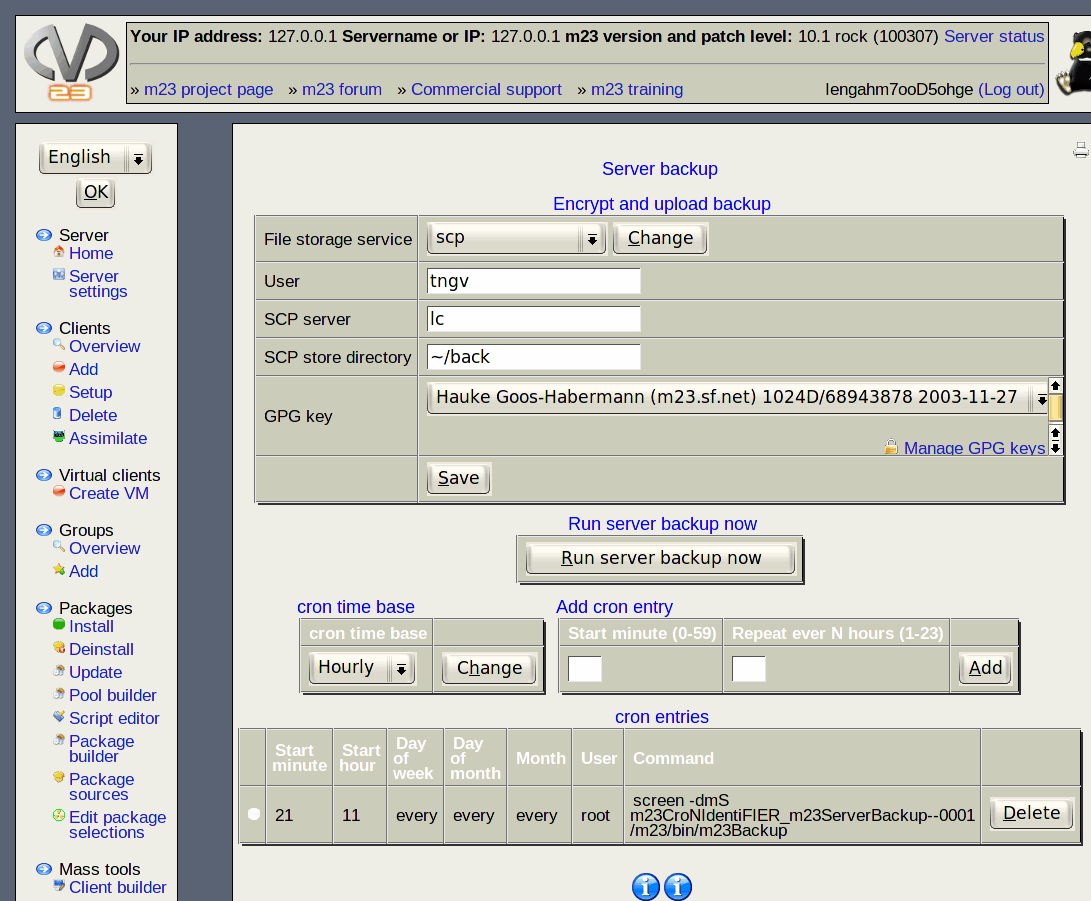
The server backup function stores the m23 server with all its data at given points in time. The backups contain all information necessary to restore the whole m23 server functionality. Multiple points in time can be selected for this purpose. GPG encrypted backup files can be transferred to external servers automatically.
A GPG key management was integrated into the m23 webinterface, too. After a data fault the restore script will first install an "empty" m23 server and use the backup to bring it into a previously saved state. A short guide showing the restoring steps can be printed out directly from the m23 web interface (and should be before an emergency occurs!).
Variable firewall
A variable firewall makes sure that only safe values will be handed to the database. This should prevent SQL injection attacs.
IP manager
The IP management allows you to connect network settings to a MAC address, so that the necessary values are sent to the respective device via DHCP. Aside from this direct assignment, IP ranges can be defined, within which the IPs can be assigned dynamically (e.g. to notebooks). Specific settings (e.g. client name, MAC address) or specific IP ranges can now be blocked, so m23 cannot wrongly use these for m23 clients.
How it works
m23 differentiates between the server and the clients. The m23 server is tasked with the deployment of software and client management. Clients are the systems which are managed by the m23 server, so those where the software will be installed.
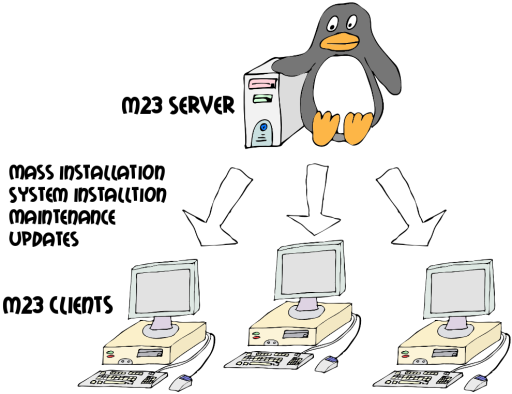
The installation of an operating system on an m23 client, which can take on the role of a (web/file/...) server or a desktop work station, will be started by booting via network (PXE), or using a boot CD / flash drive. The client's hardware will automatically be recognized and configured. After the hardware recognition has terminated successfully, the detected hardware and partition info will be sent to the server, and displayed in the m23 web interface, where the administrator can now make the settings for formatting and partitioning of the hard drive. The administrator will now also select further attributes, e.g. the distribution, desktop, kernel and package selections to install on the client. When the installation of the operating system, which, aside from a base system, uses the packages of the corresponding distribution, has terminated, further administrative tasks (e.g. (de)installation of packages, updates, backups etc.) can be executed.
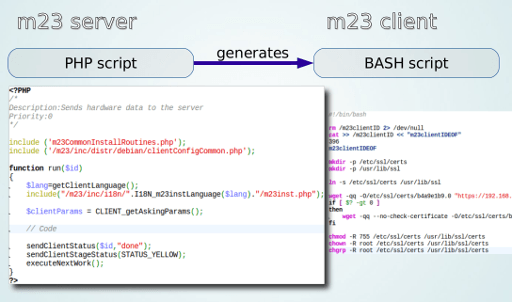
Communication between the m23 client and the m23 server
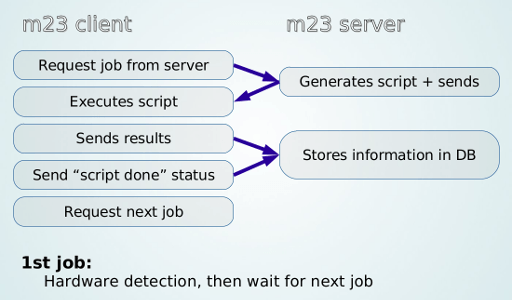
Generation of scripts
The bash scripts executed on the clients are dynamically created from PHP code by the m23 server.
Copyright and usage notice for this text
You are allowed to use this text entirely, partly or in a modified form (e.g. for a press article or for product description in CD shops).
This text is licensed under the Attribution 3.0 Unported (CC BY 3.0) license.
And of course we would be very happy, if we got a copy of your article or a URL where to find it ;-)

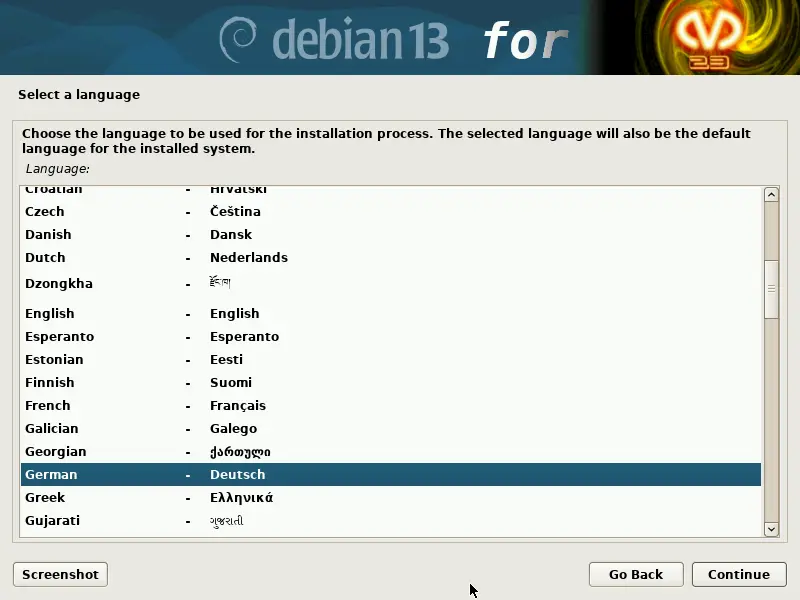
server installation ISO
In addition, preparations are underway for integration into
Libre Workspace,
which is planned for m23 26.1, along with many smaller changes, improvements, and updates.
Create and install
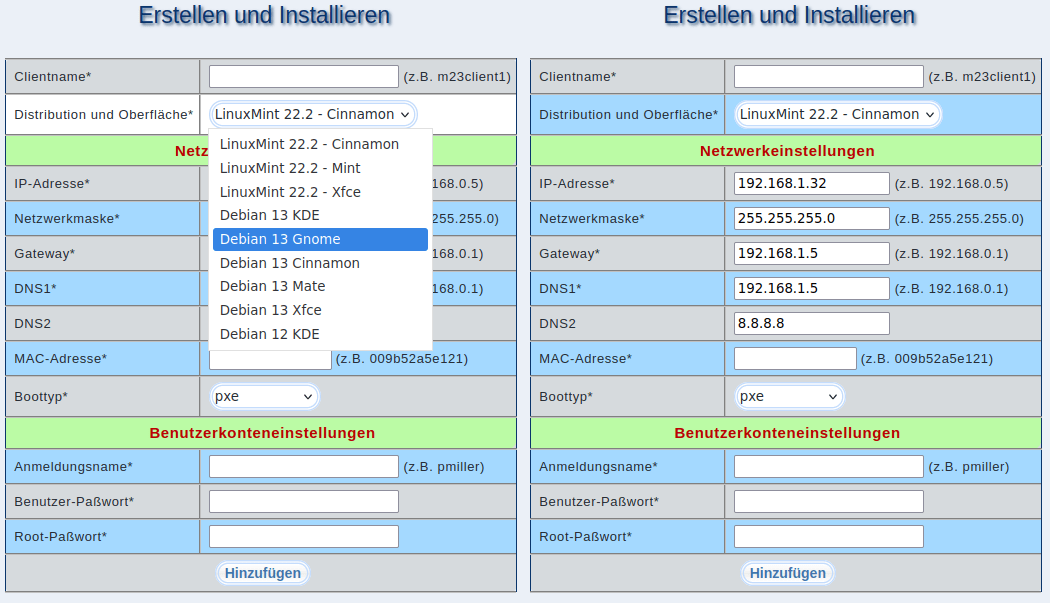
- Adding in the m23 web interface
- Booting the client via PXE or USB boot stick and performing hardware detection
- Partitioning, formatting, and selecting the distribution, desktop, and other configuration options in the m23 web interface
Further changes, improvements, fixes, and minor additions
Of course, there are again several smaller and larger improvements and fixes. The complete list of all changes can be found in the
changelog.
Some excerpts:
- Installation and removal of Flatpak packages on/from m23 clients
- Linux 6.12.41 for amd64 network boot images
- 32-bit network boot images remain in their previous state and can only be used for the installation of Debian 12
- Minor adjustments to m23-autoTest for Debian 13
- Profile management of distribution/desktop combinations for the "Create and install" dialog
- Conversion to UTF-8 in program code, documentation, translations, etc.
- Adjustments and enhancements for upcoming Libre Workspace support
- m23 REST API, so that the LW interface can read information from m23 (for example, the next available IP for a client) and send commands to m23 (for example, create a client with parameter set X, Y, Z)
- User authentication and management in the LW style
- Firewall configuration
- Caddy as a reverse proxy and SSL certificate authority
- ...
Videos on the topic (in German)
- m23-Server installieren: ISO
- m23-Server installieren: Skript
- Installation und Konfiguration eines m23-Clients
m23 app for Univention Corporate Server
The m23 app for UCS 5.2 will be released shortly, too (if it isn't yet when this news article is published).
Downloads / Update
The latest version is available as an update from the m23 web interface, via APT (setup described in the Installation Guide) and can be installed on physical or virtual 64 bit x86 hardware with the Serverinstallation ISO.
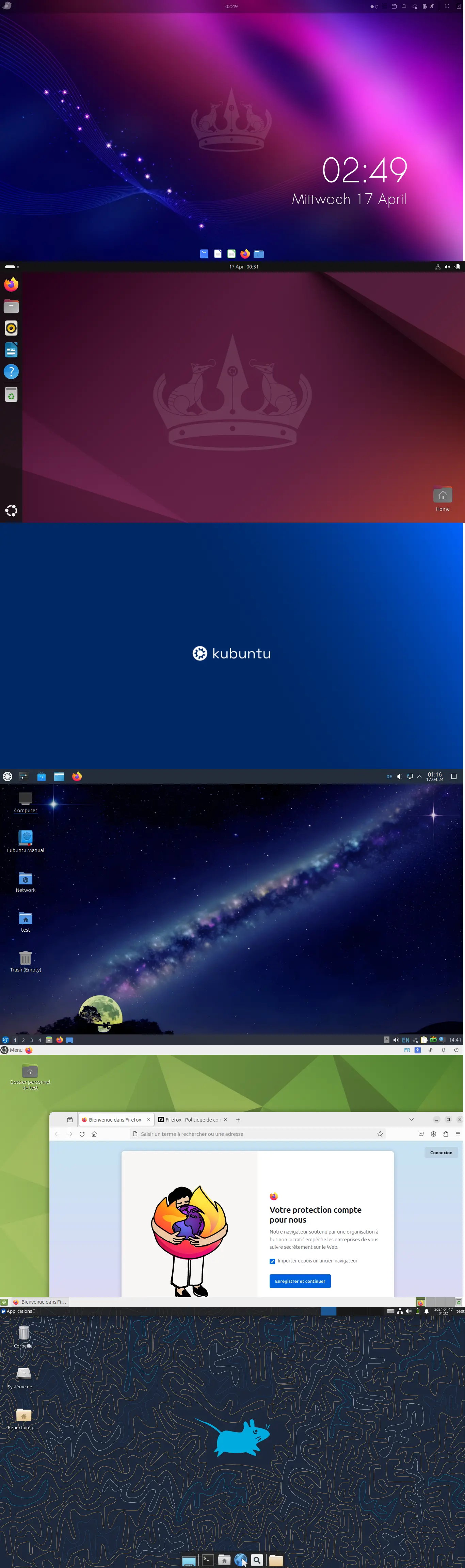
m23 24.1 now offers support for the recently released Ubuntu 24.04 "Noble Numbat" LTS as an additional m23 client platform (including 6 preconfigured desktop environments). In addition, there are many small changes, improvements and updates.
Ubuntu 24.04
As of this version, m23 also supports Ubuntu 24.04 LTS as an additional client distribution, including the familiar range of functions known from other distributions. Included are 6 pre-configured desktop environments: Mate, Ubuntu Desktop (based on Gnome), LXQt, Budgie, KDE and Xfce. Once again, the m23 Ubuntu clients cannot manage without snapd, as some standard software, such as Firefox, is no longer offered by Canonical as a normal package. Overall, the development for the Ubuntu 24.04 support was pleasingly unspectacular. In addition to the usual adjustments, we switched from the old LDAP to the newer SSS routine for centralised use of user accounts and added a new m23 script that installs the necessary snap packages and ensures that the start icons are displayed in all desktop environments. m23 does not experiment with the network configuration and continues to use /etc/network/interfaces instead of the additional Netplan abstraction layer.
Other changes, improvements, corrections and other tidbits
Of course, there are also some minor and major improvements and corrections. You can find the complete list of changes in the changelog. Some excerpts:
- Adaptations to PHP 8.2 such as the replacement of functions marked as obsolete in the m23 source code.
- phpMyAdmin was updated to 5.2.1.
- The MariaDB table structure is now updated automatically
- Minor improvements when creating and deleting VMs with m23-autoTest
Removal of components that are no longer used
In this m23 version, old and no longer required components have been removed:- Option to display the FusionDirectory icon when FusionDirectory is installed
- Compatibility code for LILO
- Setting up the SystemV init alternative upstart
- Debian 3.0 Woody file system downgrade code
- Installation of KDE 4 and 3
- Support for Elementary OS, Linux Mint 18.3 and 19.x as well as the associated desktops
Videos on the topic (in German)
Announcement in the Community video series "Nicht der Weisheit letzter Schluß":
Here you can find videos about m23 basics:
- m23-Server installieren: ISO
- m23-Server installieren: Skript
- Installation und Konfiguration eines m23-Clients
m23 app for Univention Corporate Server
The m23 app for UCS 5.0 will be released shortly, too (if it isn't yet when this news article is published).
Downloads / Update
The latest version is available as an update from the m23 web interface, via APT (setup described in the Installation Guide) and can be installed on physical or virtual 64 bit x86 hardware with the Serverinstallation ISO.
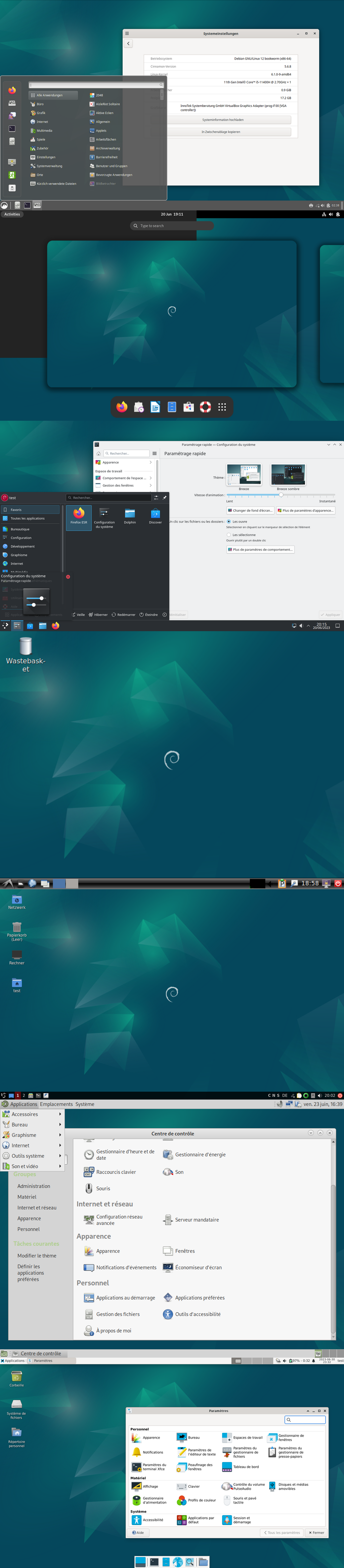
The new m23 version 23.1 is all about Debian 12 Bookworm and for the first time supports Debian 12 as an additional client platform (including 7 pre-configured desktop environments) and at the same time as a platform for the m23 server software. Besides the obvious innovations, there were again many changes and improvements "under the hood", e.g. to the PHP source code, m23-autoTest or to the security of LDAP on the client and server side.
Debian 12 for m23 clients
For m23 clients with Debian 12, there is again the familiar abundance of installable desktop environments in addition to many updated software packages: Mate (optionally in a minimal variant with only absolutely necessary packages), Cinnamon, Gnome, KDE, LXDE, LXQt and Xfce. With m23 you can install the clients as 64- and 32-bit variants – independent of the desktop.
Debian 12 for the m23 server
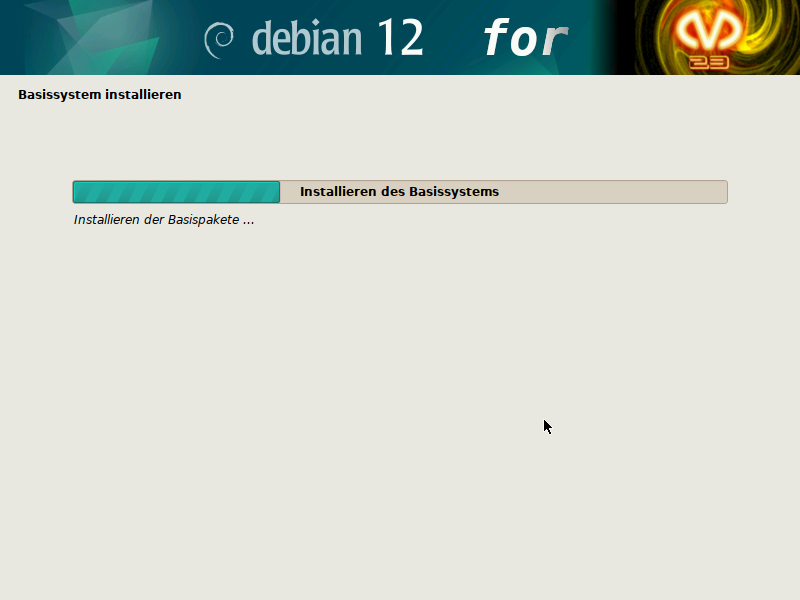
Changes, improvements, corrections and minor details
- When installing desktops, a distinction is now made between optional and required packages. Only if a required package (usually the respective desktop package) cannot be installed, the client switches to critical status.
- In massive testing, it was noticed that Apt-Cacher NG (for caching Debian software packages downloaded from the internet) tends to break connections when forwarding the packages to the m23 clients. To fix this problem, m23 automatically will update the Apt-Cacher NG version from the Debian 11 backports.
- With Debian 12, the new software branch "non-free-firmware" is activated for m23 clients.
- phpLDAPadmin has been updated to version 1.2.6.6 of the fork from https://github.com/leenooks/phpLDAPadmin.
- When installing the m23 server package, the Apparmor profile for the DHCP server is deactivated, as otherwise no automatic configuration and restarting can be carried out by m23.
- The x2go server, which can optionally be installed by m23, is installed on m23 clients with Debian 11 and 12 from the Debian and not (any longer) x2go project package sources.
-
The routine for activating LDAP TLS encryption was supplemented by a check with
ldapwhoamito test the connection to the LDAP server. On the client side, the much more up-to-date (and secure)libpam-sssis now installed instead of the oldlibpam-ldappackage. -
The framework for automated testing of m23 functions "m23-autoTest" now uses a different algorithm for allocating client IPs so that IP collisions occur less frequently in parallel test runs (with several m23 servers). In addition, adjustments have been made for the control of VirtualBox 7.x via
VBoxManage: For example, for the termination of VMs that do not shut down cleanly or changed parameters (e.g. the VM name now distinguishes between upper and lower case). Also added is an extended detection for desktops started on the test VMs to determine whether an automated login attempt was successful. VMs are now configured so that they are always created with an empty hard disk, using this as the 1st boot priority and PXE as the 2nd boot priority. This ensures that the operating system installation via PXE/networkbootimage and the post configuration after the first reboot takes place in the installed distribution. -
Minor changes: The deprecated APT parameter
--force-yeswas changed to--allow-downgrades --allow-unauthenticated. Duplicate files were replaced by symlinks to a common file. Removed support for Debian 9.
You can find the complete list of changes in the changelog.
Videos
Announcement and making-of in the community video series "Nicht der Weisheit letzter Schluß" (German):
Videos about m23 basics (German):
- m23-Server mit dem m23-Installations-ISO aufsetzen
- m23-Server installieren: Skript
- Installation und Konfiguration eines m23-Clients
m23 app for Univention Corporate Server
The m23 app for UCS 5.0 will be available shortly (if not available yet when this article is published).
Downloads / Update
The latest version is available as an update from the m23 web interface, via APT (setup described in the Installation Guide).

The biggest change in m23 22.2 is the addition of support for the recently released Linux Mint 21 "Vanessa" as m23 client platform, including the three pre-configured desktop environments Mate, Cinnamon and Xfce. Besides this big change, it also brings you a lot of small changes, improvements and updates.
Changes, improvementes, corrections and tidbits
- The framework "m23-autoTest" for automated testing of m23 functionality now checks whether it is possible to login with a user account and whether a graphical desktop starts after a successful installation.
- A new option was added that makes the m23 clients ask the m23 server for new tasks every 5 minutes, and execute them.
- Multiple fixes, that allow you to use the Gnome-based Ubuntu desktop again.
- A workaround that makes it possible to restore m23 clients on Univention Corporate Server (UCS).
- Further improvements and adjustments of the PHP code: In addition to some small general fixes, for example array elements are now checked for existence in many more places before accessing them.
- The generation of the package index for the package search on the m23 server has been adjusted and fixed in multiple places, in order to allow for good seasrch results even with uncommon server configurations.
- The m23-initscripts now use systemd exclusively for fetching and executing new tasks from the m23 server on all client platforms when starting the system. The code for other init systems was commented out.
- Functions in the MDK (m23 development kit) now make sure that patch numbers are used in ascending order when creating Debian packages, also taking version numbers in git commits into consideration.Additionally, a check whether there are any uncommitted changes to m23 and the MDK before switching between the stable and development version. Files and folders that are only needed temporarily, and do not need to be included in version control (e.g. kernel and modules for creating the network boot image) are now saved to a cache folder.
- The version of the Linux kernel in the m23 client boot media (PXE und ISO) has been updated to 5.15.77, and the Busybox version is now 1.35.
- The compilation for the 32bit Busybox version on a 64bit Debian required a few adjustments because of new 32bit packages.
- The hardware initialization script for the m23 boot media now contains a workaround for supporting Realtek-RTL8111/8168/8411-based network cards.
- There is a new minimal Mate desktop profile for Linux Mint which does not show the welcome dialog nor displays any media icons on the desktop.
Videos
Announcement and making-of in the community video series "Nicht der Weisheit letzter Schluß" (German):
Videos about m23 basics (German):
- m23-Server mit dem m23-Installations-ISO aufsetzen
- m23-Server über Debian-Pakete installieren
- Installation und Konfiguration eines m23-Clients
m23 app for Univention Corporate Server
The m23 app for UCS 5.0 will be available shortly (if not available yet when this article is published).
Downloads / Update
The latest version is available as an update from the m23 web interface, via APT (setup described in the Installation Guide).
Search
Give m23 your reference!
 Help m23 by giving us your reference!
Go to questionnaire >>
Help m23 by giving us your reference!
Go to questionnaire >> Download m23