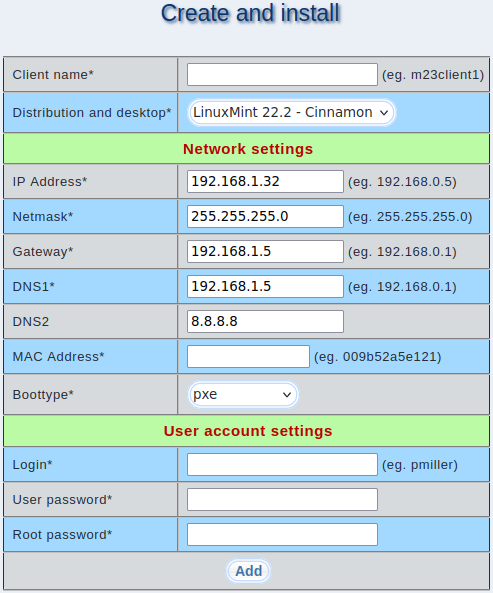
Enter the information for creating and automatically installing your m23 client here, then start it using the selected boot method.
(fields marked with * are required)
- Client name: Is the name of your client, it should be unique.
- Distribution and desktop: Select the combination you want to install on your client from the distribution/desktop profiles here.
- IP Address: IP address of the client (e.g. 192.168.1.23)
- Netmask: Networkmask of your network (e.g. 255.255.255.0)
- Gateway: Gateway IP for internet connections
- DNS1: IP address for the first DNS server
- DNS2 (optional): IP address for the second DNS server
- MAC Address: MAC address of the client network card (e.g. 00D0B723865C)
- Boottype: Boot standard for booting your clients over the network
- Login: The name for logging into the client.
- User password: This is the user password used for the first log in. It is automatically generated by m23 with 6 characters, but you can enter your own password.
- Root password: This is the root password. It is automatically generated by m23 with 6 characters, but you can enter your own password.


